Nest Thermostat Generations, Support and NH Installation
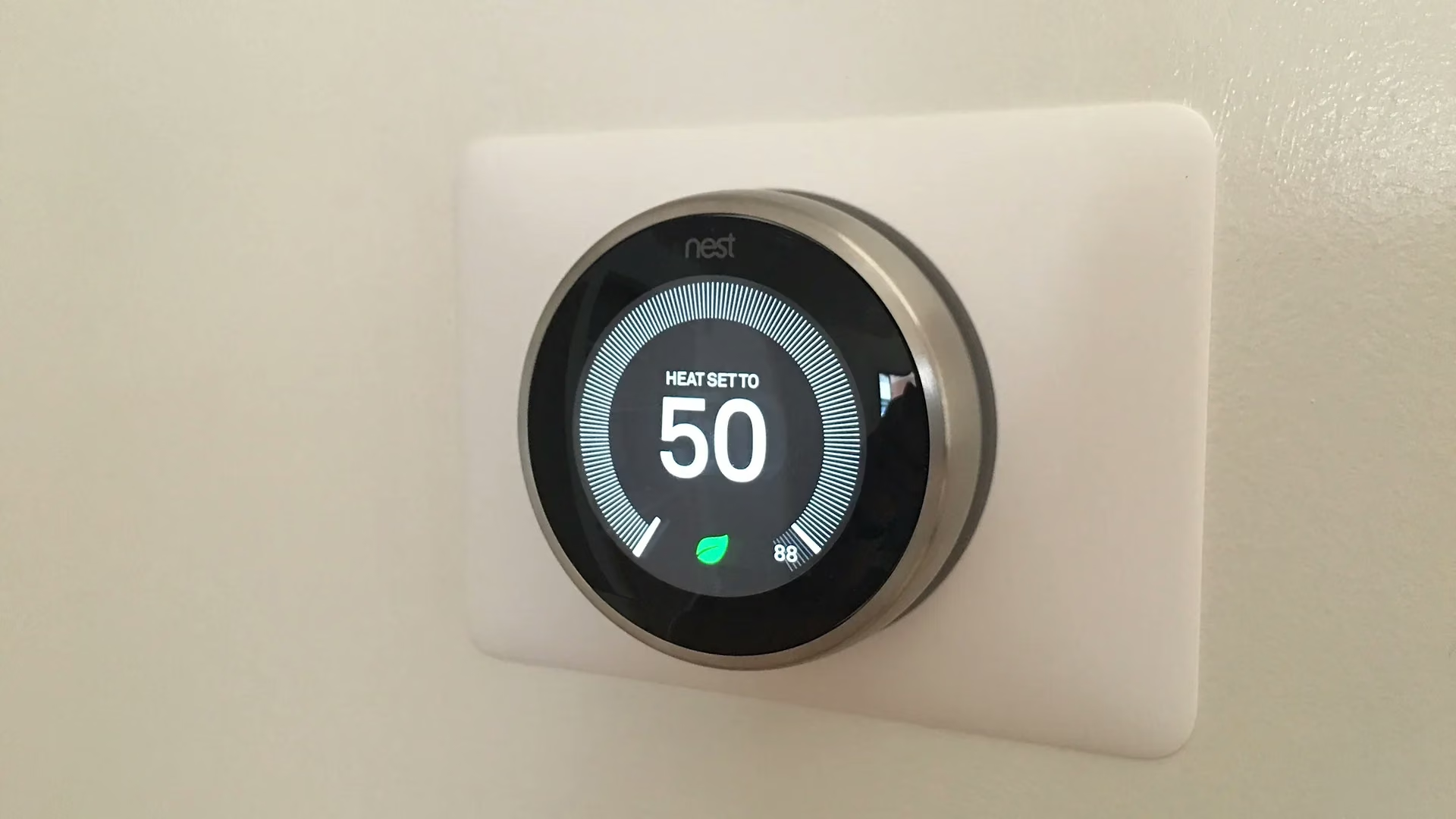
Nest thermostats can look similar while working differently. The model you have affects the app, available features, and replacement options. Before troubleshooting an update or buying a new thermostat, start by identifying the exact model.
A.J. LeBlanc Heating installs and configures Nest, ecobee, and Honeywell Home controls for compatible systems across Southern New Hampshire. We look at the heating and cooling equipment, the wiring, and how you want to use the thermostat before recommending a replacement.
See Google's current Nest thermostat specifications.
Which Nest thermostat generation do you have?
The name matters. The Nest Thermostat and Nest Thermostat E are separate models; they are not simply another numbered generation of the Nest Learning Thermostat. Google's Nest model-identification guide shows the displays and bases side by side.
- Nest Learning Thermostat, 1st or 2nd generation: older Learning models covered by Google's end-of-support notice.
- Nest Learning Thermostat, 3rd generation: a different model from the first two generations. Do not apply their support notice to it just because the thermostat is older.
- Nest Learning Thermostat, 4th generation: the later Learning model; check its specific compatibility and setup requirements.
- Nest Thermostat E: recognizable by its white ring and translucent display.
- Nest Thermostat: the model with a mirrored display and a touch control on the side.
Use the model information in the thermostat settings or Google's identification guide when appearance is unclear. A purchase date or the color of the ring alone is not enough to identify every model.
What changed for 1st- and 2nd-generation Nest Learning Thermostats?
Google ended app connectivity and software support for the affected models on October 25, 2025. They no longer work with the Nest or Google Home apps, and connected features are affected. Google says the thermostat can still be operated at the device, including its on-device settings and existing schedules.
That distinction matters. Losing remote control does not, by itself, mean the furnace has failed. A software update will not restore the discontinued app support. Read Google's notice for the affected 1st- and 2nd-generation models for the exact scope.
Do you need to replace the thermostat?
Start with the reason you want to change it. If an affected older thermostat still controls the equipment locally, replacement may be about restoring the features you use. If the heating or cooling is not operating correctly, that problem needs its own diagnosis.
A replacement also needs to fit the HVAC system. Heat pumps, backup heat, zoning, and accessories can change the control requirements. Our Nest installation information is a starting point for that conversation. Do not assume a new model can be swapped onto the old base or wired exactly the same way.
What a Nest thermostat does
The core job (turn the heat or AC on and off based on temperature) is unchanged from a traditional thermostat. What is different:
- Wi-Fi control: on supported models, adjust the temperature remotely through the compatible Nest or Google Home app.
- Self-learning schedule: the thermostat watches your manual adjustments for the first week or two and builds a schedule that reflects your actual routine.
- Home and Away assist: your phone's location and the thermostat's motion sensors detect occupancy and shift between Home and Away modes automatically.
- Energy History: the thermostat tracks runtime and shows you exactly when and why the system ran each day.
- Equipment compatibility: works with conventional gas furnaces and boilers, heat pumps (including dual-fuel configurations), multi-stage equipment, humidifiers, and ventilators.
Current Nest models
Google's current Nest thermostat lineup includes two main products:
- Nest Learning Thermostat (4th generation): the flagship. Large bright display, occupancy sensing, hardware temperature sensing, and works with the full feature set of the Google Home app.
- Nest Thermostat (the budget model): simpler hardware, no learning behavior, no remote sensors. Good for simple single-zone systems where features matter less than price.
The right model depends on equipment compatibility, wiring, desired sensors and automations, and how much control the homeowner wants. We verify compatibility before recommending a thermostat.
What we look for during installation
Most Nest installations are straightforward, but a few details matter:
C-wire and power
Power requirements vary by thermostat and HVAC system. We confirm the available conductors and equipment-side controls, then use a manufacturer-approved wiring or power solution when needed.
Heat pumps and dual-fuel
Heat pumps require careful configuration of:
- Backup heat lockout temperatures (above this outdoor temperature, the auxiliary heat is locked out so the heat pump handles the load)
- Emergency heat operation
- Reversing valve configuration (O or B terminal)
- For dual-fuel, the changeover temperature between heat pump and furnace
Configuration errors can cause expensive backup heat to run when it should not. This is the most common reason we get called to a heat pump after a homeowner self-installation.
Multi-stage and modulating equipment
Modern furnaces, boilers, and heat pumps often have two stages or full modulation. The thermostat must be configured to drive the staging correctly to capture the efficiency benefits.
Zoned systems
Nest works with most modern zoning controls but not all. Check compatibility before purchase if your home has zone dampers.
What a smart thermostat can save
Savings vary with prior settings, weather, occupancy, equipment, and how the thermostat is used. Some straightforward installations are homeowner-manageable. Heat pumps, dual-fuel systems, zoning, accessories, or wiring questions are good reasons to have A.J. LeBlanc Heating install and commission the control.
Nest vs. ecobee vs. Honeywell
All three brands are strong. Quick differentiators:
- Nest: best Google Home integration, simplest interface, learning behavior is the main draw.
- ecobee: the strongest remote sensor system (small wireless sensors in other rooms inform the thermostat). Best for homes with uneven temperatures.
- Honeywell Home: very reliable hardware, strong app, often the easiest install on older NH systems.
For a single-zone system with no major hot or cold rooms, Nest or Honeywell is typically the cleanest install. For homes with bonus rooms over garages, finished basements, or rooms that always run too hot or too cold, ecobee's remote sensors usually win.
Schedule an installation
If you are considering a smart thermostat upgrade in southern New Hampshire, or you have one installed but it is not behaving correctly with your heat pump or zoned system, contact A.J. LeBlanc Heating or call 603-623-0412. Serving NH families since 1928.
Frequently Asked Questions
Will a Nest thermostat work with my heat pump?
Yes. Nest supports standard heat pumps, dual-fuel systems, and emergency heat operation. Correct configuration matters, especially the backup heat lockout temperature.
Do I need a C wire for a Nest?
Power requirements vary by Nest model and HVAC system. We confirm the available conductors and equipment-side controls, then use a manufacturer-approved wiring or power solution when needed.
How long does Nest's self-learning take?
Roughly the first one to two weeks of normal use. During that time, the thermostat watches your manual adjustments and builds its schedule. You can also manually program a starting schedule if you prefer.
Can I control my Nest by voice?
Voice-control options depend on the Nest model and its supported smart-home integration. Check your exact model first; the older models covered by the support notice above no longer have app connectivity.
Is professional installation worth it on a smart thermostat?
Some straightforward installations are homeowner-manageable. Heat pumps, dual-fuel systems, zoning, accessories, or wiring questions are good reasons to have A.J. LeBlanc Heating install and commission the control.